 nano
nanoKeep a colony of ants.
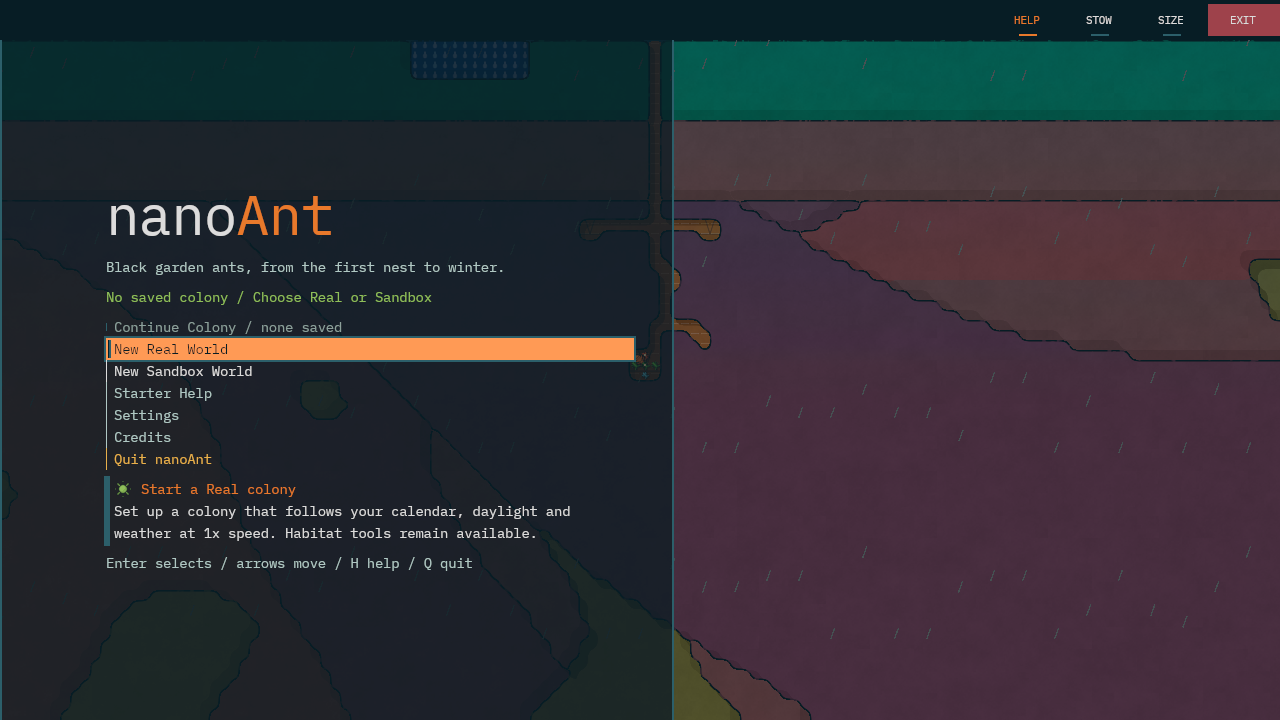
Watch workers dig, forage and tend their brood. Click an ant to follow its life, or use the tools to change the nest, move food and care for the colony.
A desktop formicarium for Windows and Linux. The full release is planned for itch.io at £3.
- Windows 64-bit
- Linux x86_64
- 9 species · from black garden ants to army ants
- 115 field-guide entries
- Runs in real time or as a sandbox
What it does
Start with a queen and a small nest. Inspect individual ants, provide food and water, and watch the colony respond.
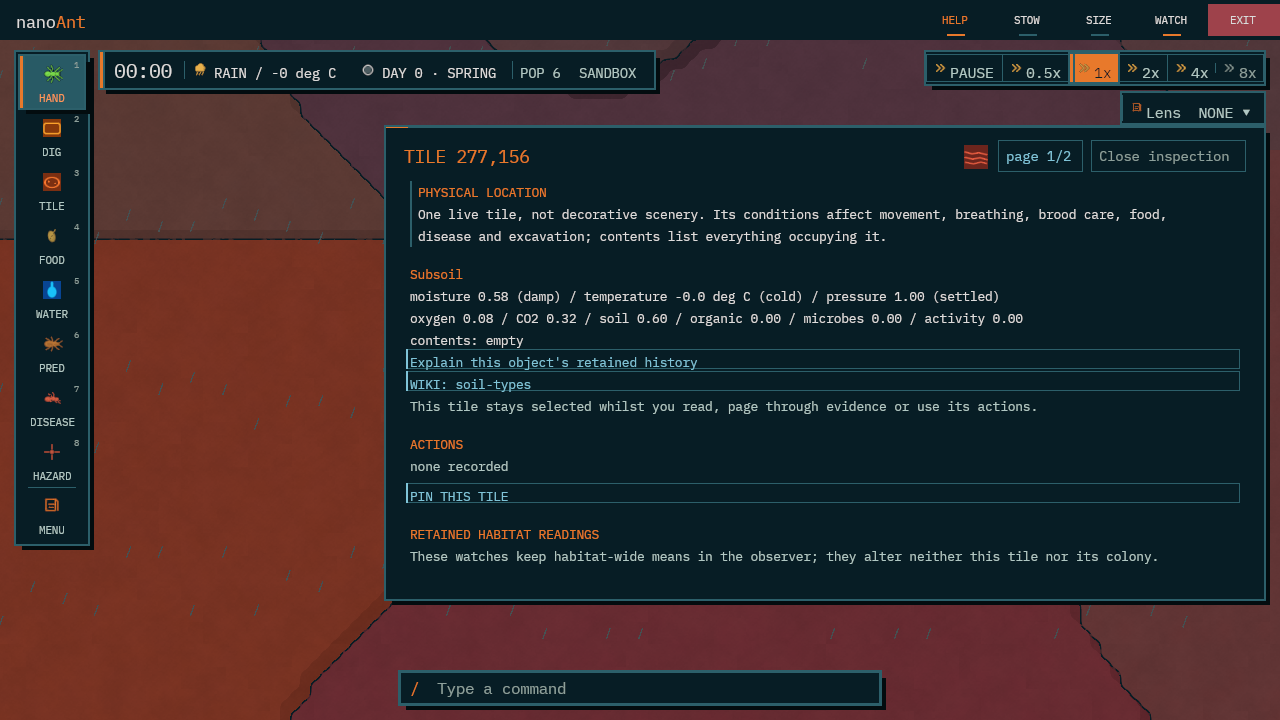
- Every ant is an individualSelect an ant, a tile, a brood cell, a food item or a predator, and nanoAnt will explain what it is, what it is doing and the reason for it.
- Real time or sandboxReal time follows your own clock, daylight and seasons. Sandbox lets you change time, weather and speed to see how the colony responds.
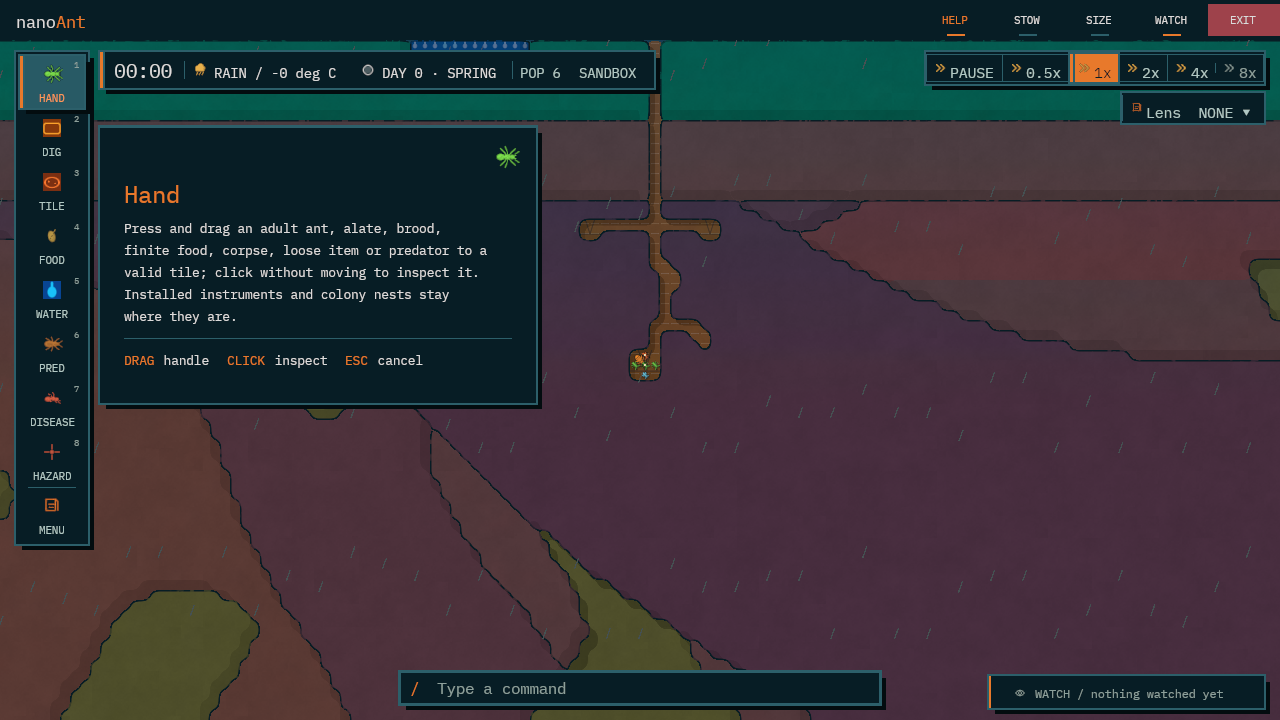
- Hands in the glassLift and place ants, brood and food. Dig tunnels, change the soil or add water. Predators, disease and hazards are optional interventions.
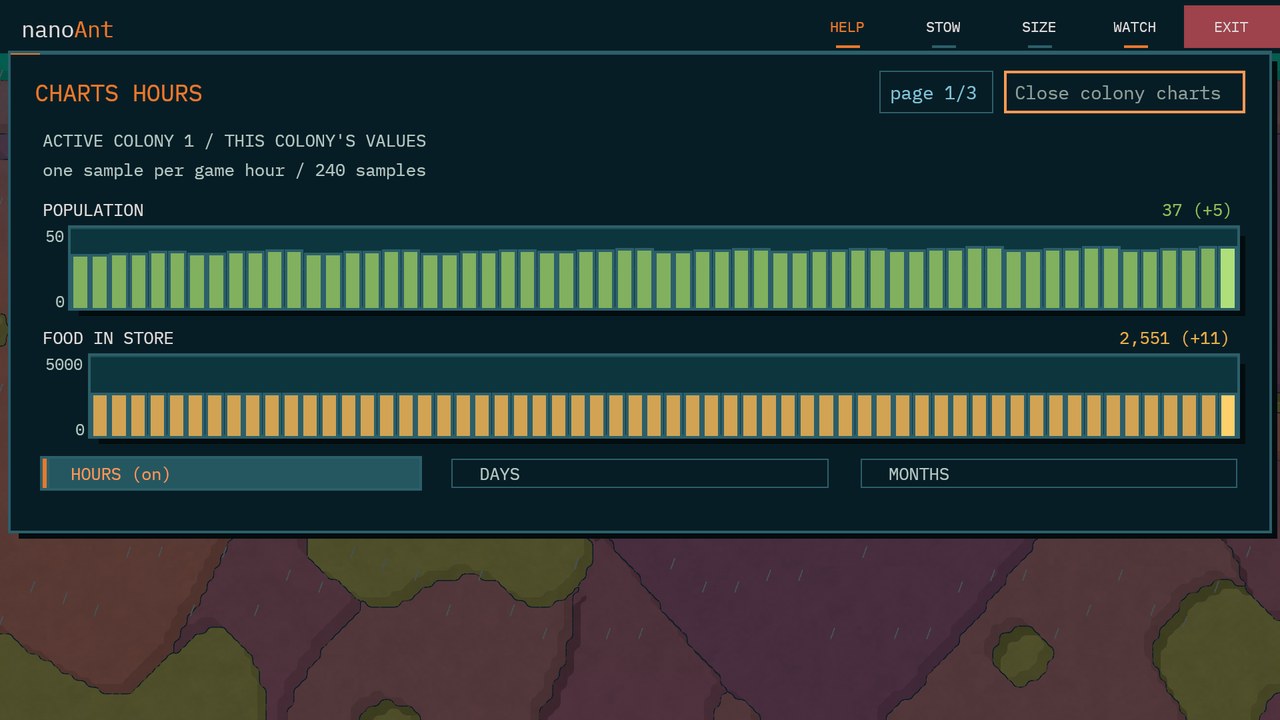
- The colony's own recordCharts over hours, days and months, together with the colony's lifetime acts and its maternal lineage.
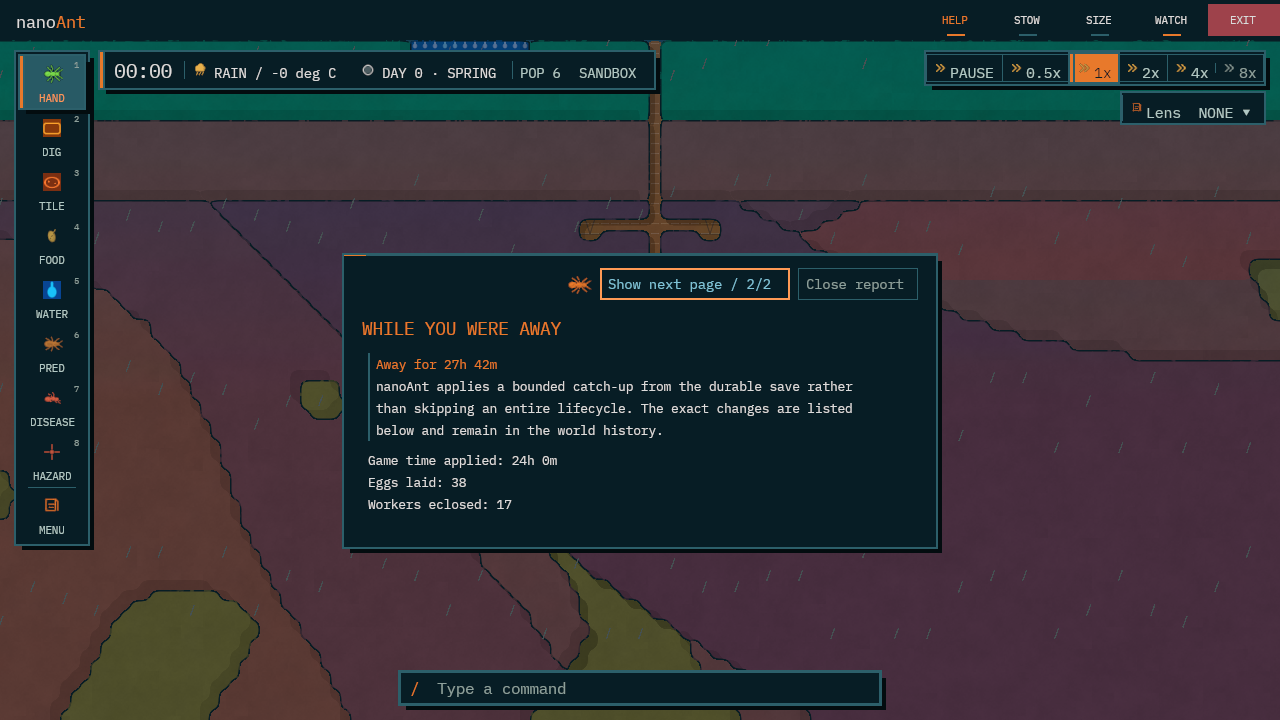
- It keeps living while you are awayOn your return, a report lists changes applied to the saved colony during your time away.
- A quiet companionnanoAnt can be reduced to a thin strip at the edge of the screen, and reopened from the tray whenever required.
- A field guide inside115 codex entries, which keep observed ant biology separate from the game's own modelled rules.
- Nine speciesBlack garden, pavement, yellow meadow, silky, common red, harvester, carpenter, fire and army ants, each shown by its scientific and common name. Fire ants and army ants live in a heated nest; army ants move house every night of their nomadic phase; common red ants keep many queens; harvester and carpenter ants raise big-headed majors.
- Drawn like cut paperClean ink outlines, flat colour with one hard shadow, and soil, clay and tunnels laid out like folded card. An optional grunge layer adds paper grain and worn ink, and the original grained look is one setting away.
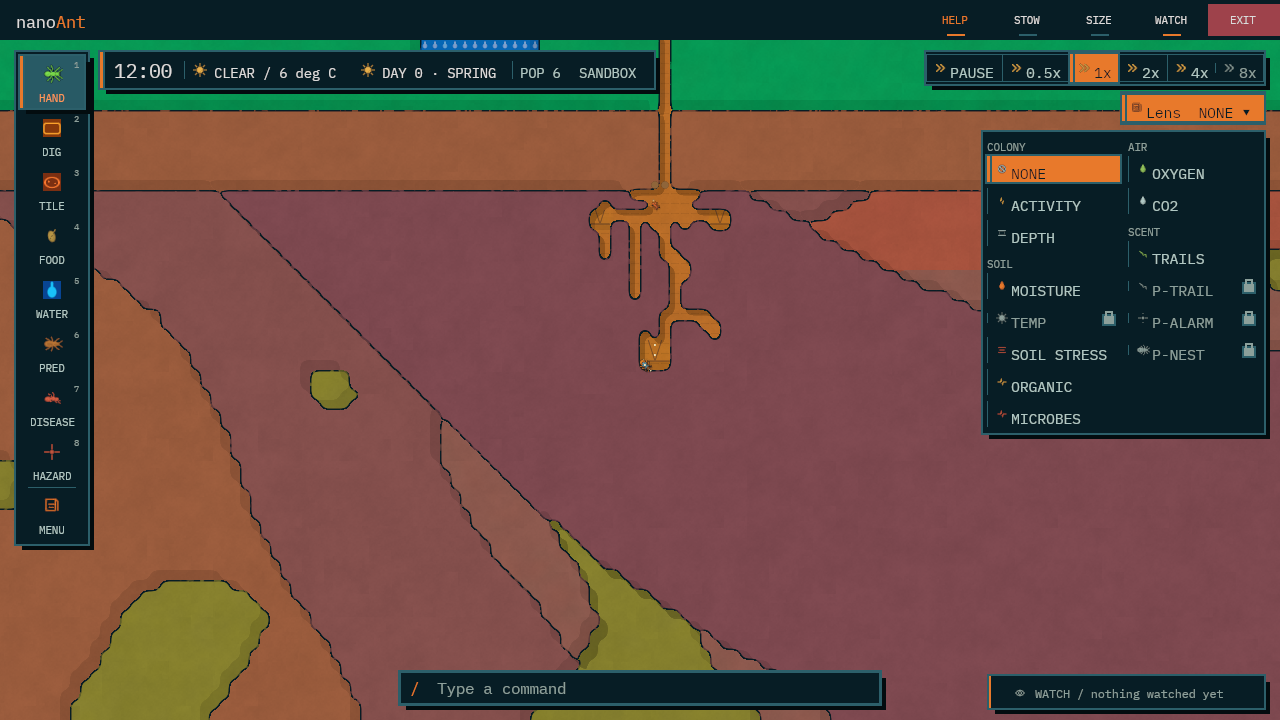
- Lenses on the unseenMoisture, temperature, depth, activity and the three pheromone trails can each be laid over the nest.
The screen, explained
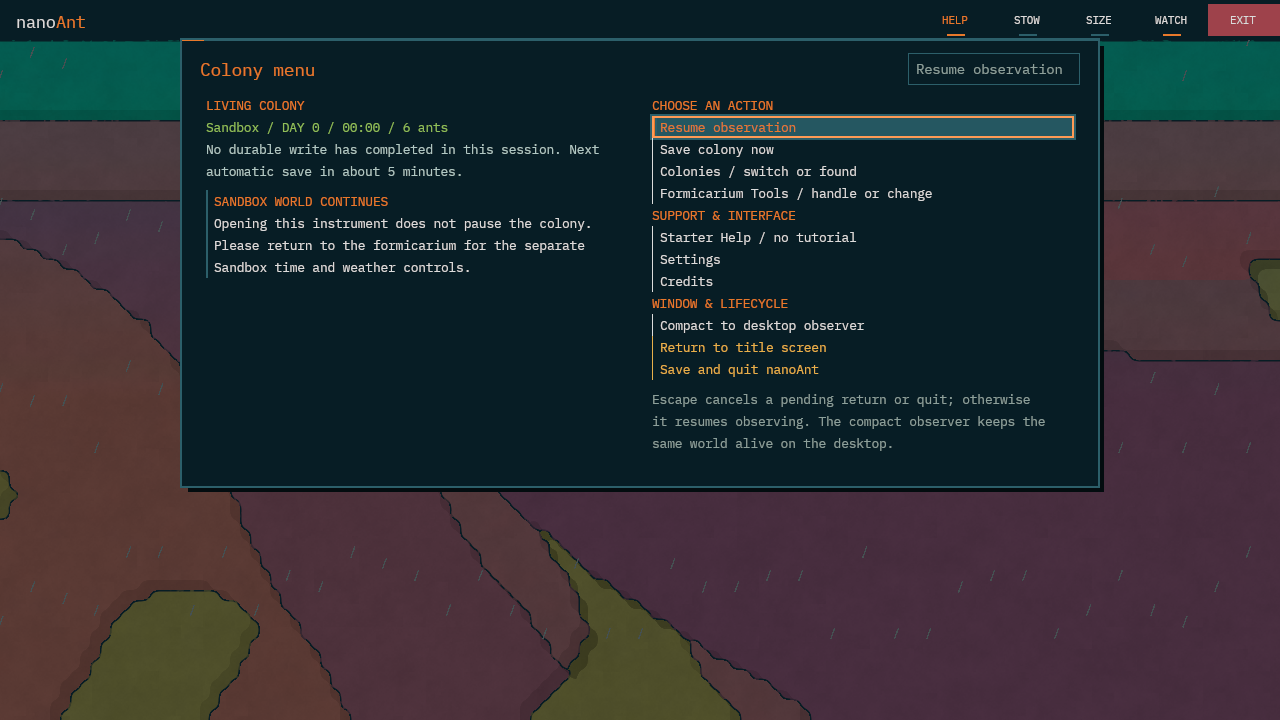
Tools sit on the left; speed and lenses sit on the right. The nest remains visible between them. Menu opens records, settings and saving.
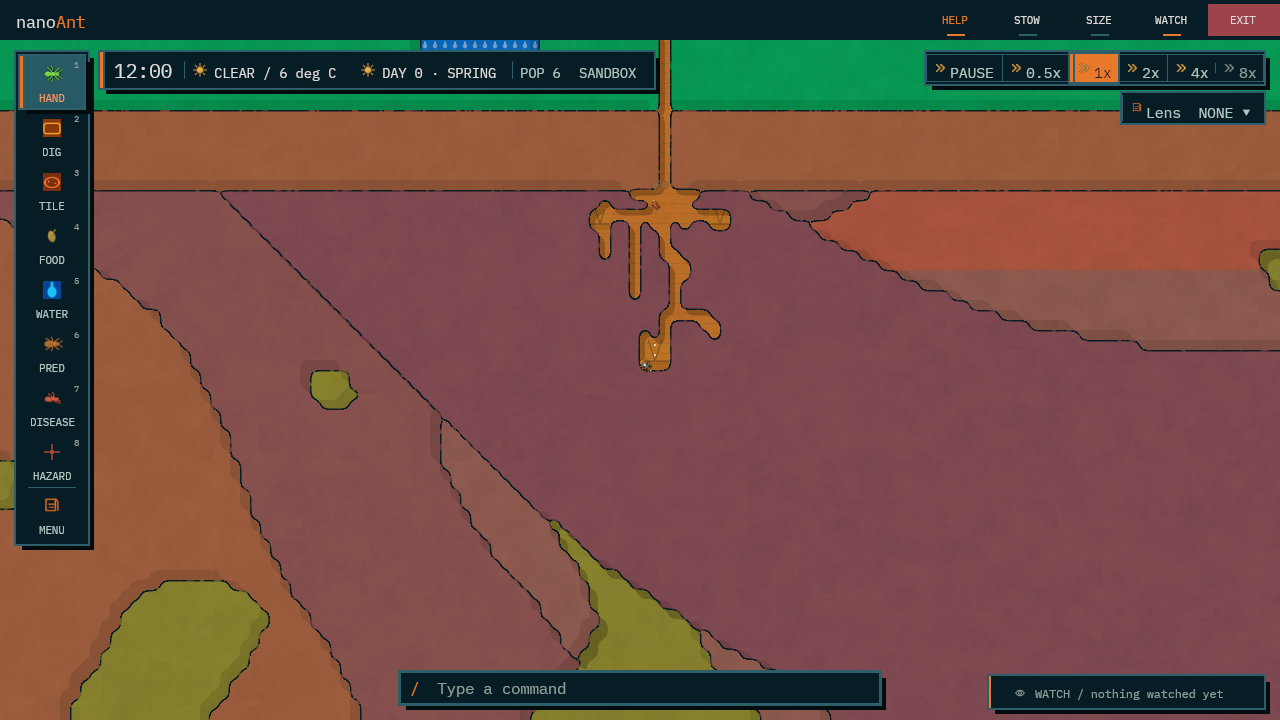
- 1Tool railHand, Dig, Tile, Food, Water, Predator, Disease and Hazard. The number keys choose them.
- 2Status stripThe time, the weather above the nest, the day and season, the population and the mode.
- 3SpeedPause, half speed and up to eight times. Sandbox only; Real time keeps to your clock.
- 4LensLays moisture, temperature, depth, activity or a pheromone trail over the nest.
- 5The colonyClick anything to learn what it is and why it is there. Drag to move it, with the Hand.
- 6MenuZoom, the field guide, colonies, charts, lineage, upgrades, weather, settings and saving.
- 7Command barPress / and type a command, for those who prefer the keyboard.
- 8WATCHFollows an ant or a reading and keeps it in view as the colony goes about its business.
Controls
| Input | What it does |
|---|---|
| Left-click | Inspect an ant, tile, brood cell, food item or predator |
| Drag, with the Hand | Lift something and place it elsewhere |
| Hold the right button and drag | Move around the nest |
| W A S D or the arrow keys | Move around the nest |
| Mouse wheel | Zoom in and out |
| 1 to 8 | Choose a tool from the rail |
| / | Type a command |
| Esc or right-click | Cancel, and return to the Hand |
How the colony lives
Each worker passes through three stages before it walks out of the nursery. The chart below is drawn to scale from the figures the simulation uses, in game days.
Two ways to keep a colony
Real time
The colony keeps your clock. Daylight, the seasons and the weather are natural, and the speed cannot be changed.
- Winter slows the colony; it survives on its stores.
- Leave it running and read the report on your return.
Sandbox
Time and weather are yours. Pause, run at up to eight times, and set the weather to see what the colony makes of it.
- Every tool is available in both modes.
- Useful for seeing what a flood or a cold snap would do, before one arrives for real.
A closer look

How to install
Neither version needs administrator rights. Colony saves are stored separately from the program; keep them when uninstalling if you want to return to them.
Downloads for testers
nanoAnt 0.1.2a, build 39ed090. These are offered for a short test period and will be withdrawn afterwards. If you already have 0.1.1a, it offers this update itself the next time you open a colony. This test build stops starting on 26 October 2026; your save files are kept when the test period ends.
The source code remains all rights reserved; see the LICENSE file inside the zip. Full checksums are listed in SHA256SUMS.txt.
Windows
- Download
nanoAnt-setup-0.1.2a.exefrom the tester downloads above. Once nanoAnt is on sale, it will also be available from itch.io. - Double-click it. Should Windows show a blue “Windows protected your PC” panel, choose More info, then Run anyway.
- Choose whether to add a desktop shortcut, and whether nanoAnt should start when you sign in.
- Choose Install. nanoAnt opens when it has finished.
- Afterwards, open it from the Start menu under nanoAnt.
%LOCALAPPDATA%\Programs\nanoAnt. Colonies are saved in %LOCALAPPDATA%\nanoAnt\saves.To remove it
- Open Settings, then Apps, then Installed apps.
- Find nanoAnt and choose Uninstall.
- You will be asked whether to remove your colonies as well. No keeps them for a later reinstall.
Linux
- Download the Linux version from the tester downloads above and extract it to a folder of your choosing, for example with
tar -xzf nanoAnt-0.1.2a-linux-x86_64.tar.gz. - Open a terminal in that folder and start it with
./nanoant-native. - To add nanoAnt to your applications menu, run
python3 linux-desktop-integration.py install.
~/.local/share/nanoAnt. A graphics driver with Vulkan or OpenGL support is required.To remove it
- Run
python3 linux-desktop-integration.py removeto take it out of the menu. - Delete the folder you extracted. Delete
~/.local/share/nanoAntas well only if the colonies are no longer wanted.
Get nanoAnt
| Version | Price | Where |
|---|---|---|
| Latest | £3 | itch.io (coming soon), with Steam to follow |
| Older versions | Free | On this page, below |
A single purchase includes every later update. Older versions remain free for anyone who would prefer to try nanoAnt first.
Free download
Loading the current free version…
Updates
- Free versionWhen a newer free version appears on this site, nanoAnt offers to download and install it. It saves your colony first, then closes, updates and reopens.
- Bought copiesThe itch.io app and Steam keep bought copies up to date, and nanoAnt will inform you when a new version has been released.
- What the check sendsAn ordinary web request for this site's version list. Nothing regarding you or your colony is sent, and the check can be turned off in the settings file.
- Signed updatesnanoAnt checks the version-list signature and download checksum before installing an update.
System needs
| Windows | 64-bit |
|---|---|
| Linux | x86_64 |
| Graphics | A driver with Vulkan or OpenGL support |
| Screen | 800 × 450 or larger |
Support
Send questions, problems or suggestions to support@nanonix.net. When reporting a problem, it would be greatly appreciated if you could mention your operating system and what the colony was doing at the time. The version appears in Settings and on the Credits page.